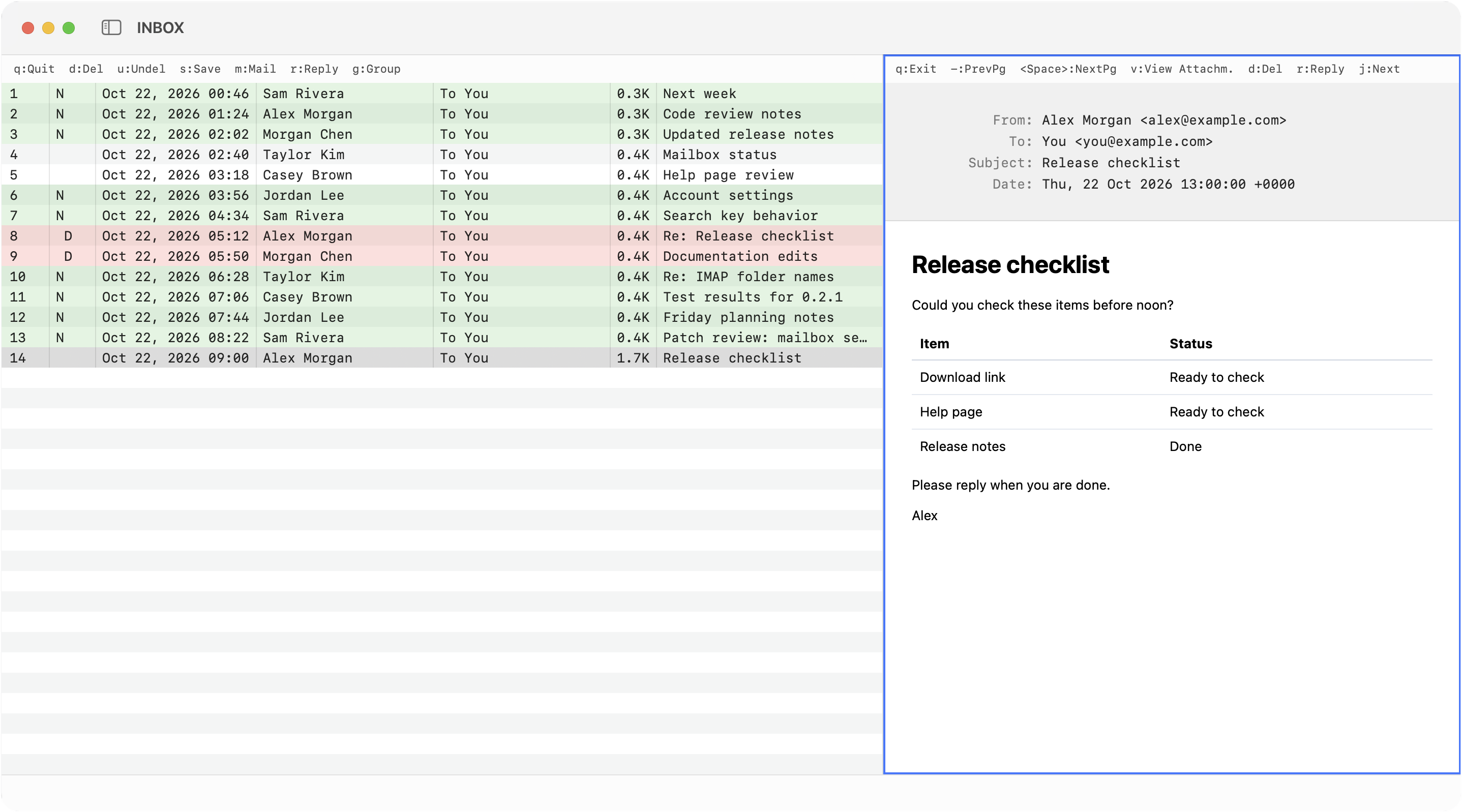
The message list is on the left; the selected HTML message is on the right. Remote images stay blocked unless you load them.
Mutt keys in a Mac window
Mutt Desktop reads bindings and macros from your muttrc. Check the compatibility table for what works.
- j / k
- Move through messages
- Return / q
- Open and close a message
- r / g / L
- Reply, group reply, list reply
- m
- Compose
- s / C
- Move or copy a message
- l / T
- Limit the list or tag matching messages
Write in Neovim or the built-in editor
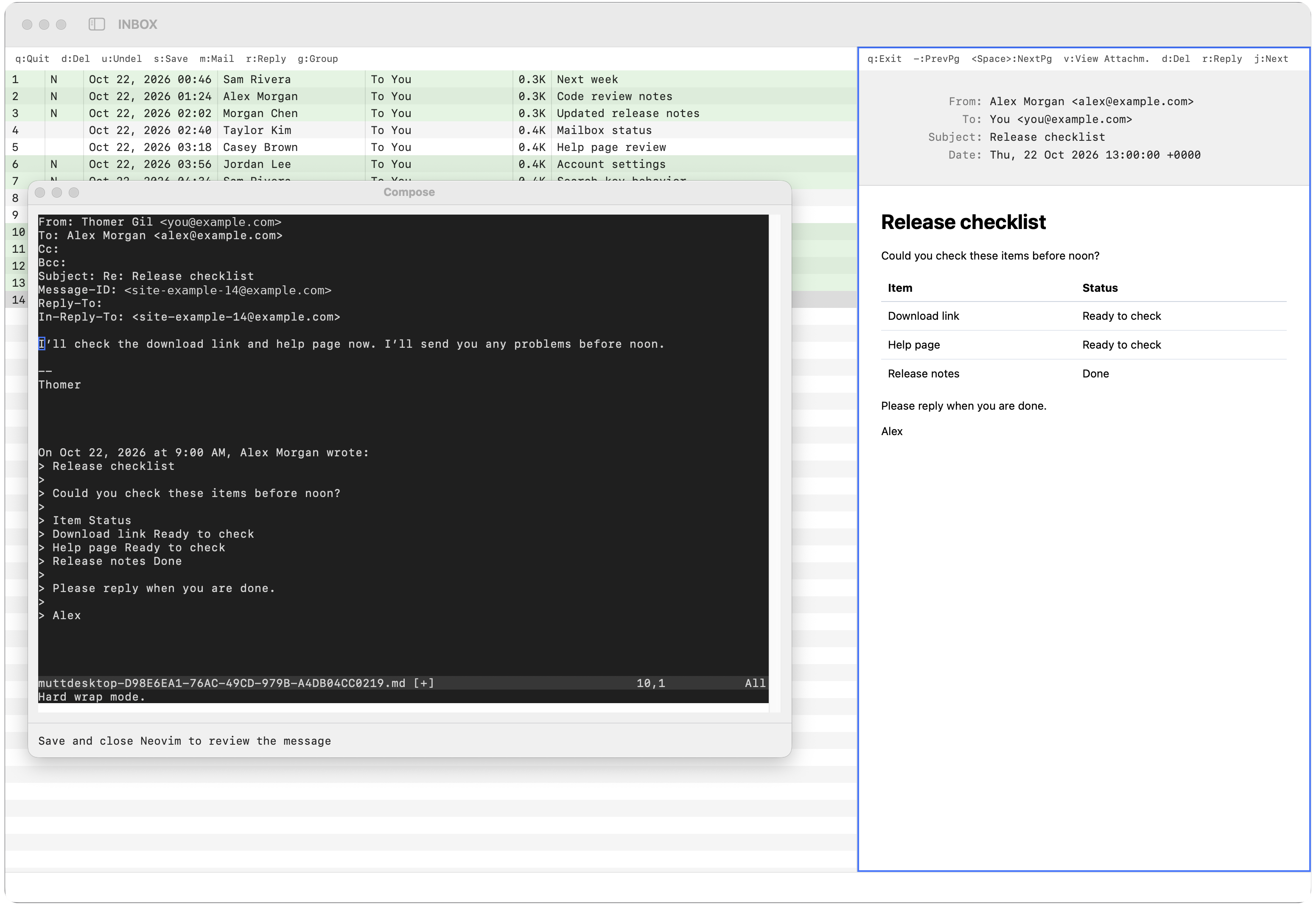
Compose and reply in embedded Neovim or the built-in text editor.
Review before sending
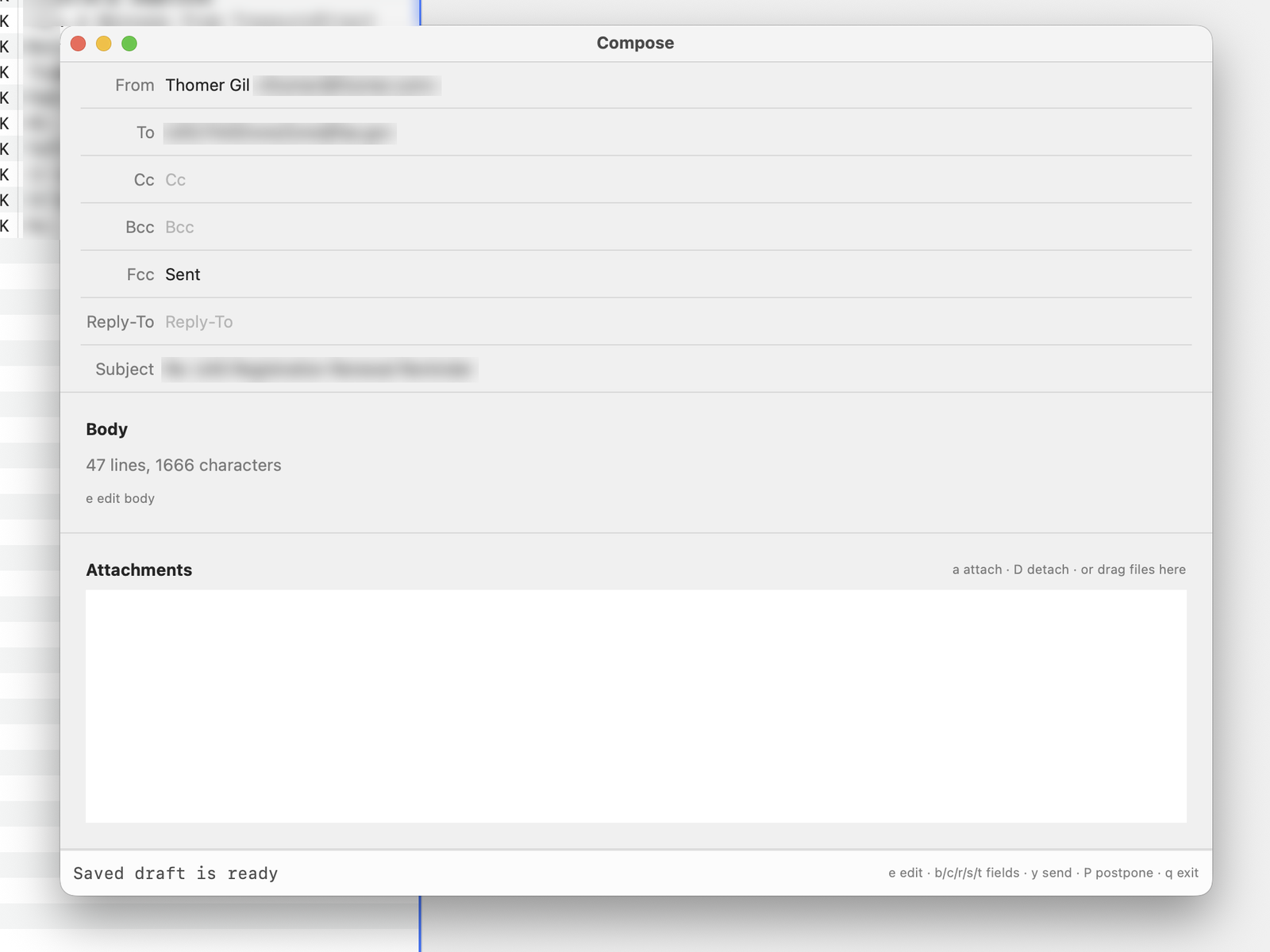
Review recipients, subject, and attachments before sending. Edit or postpone the draft if needed.
Use your muttrc with multiple accounts Only in Mutt Desktop
Switch between accounts that share a muttrc or use separate files.
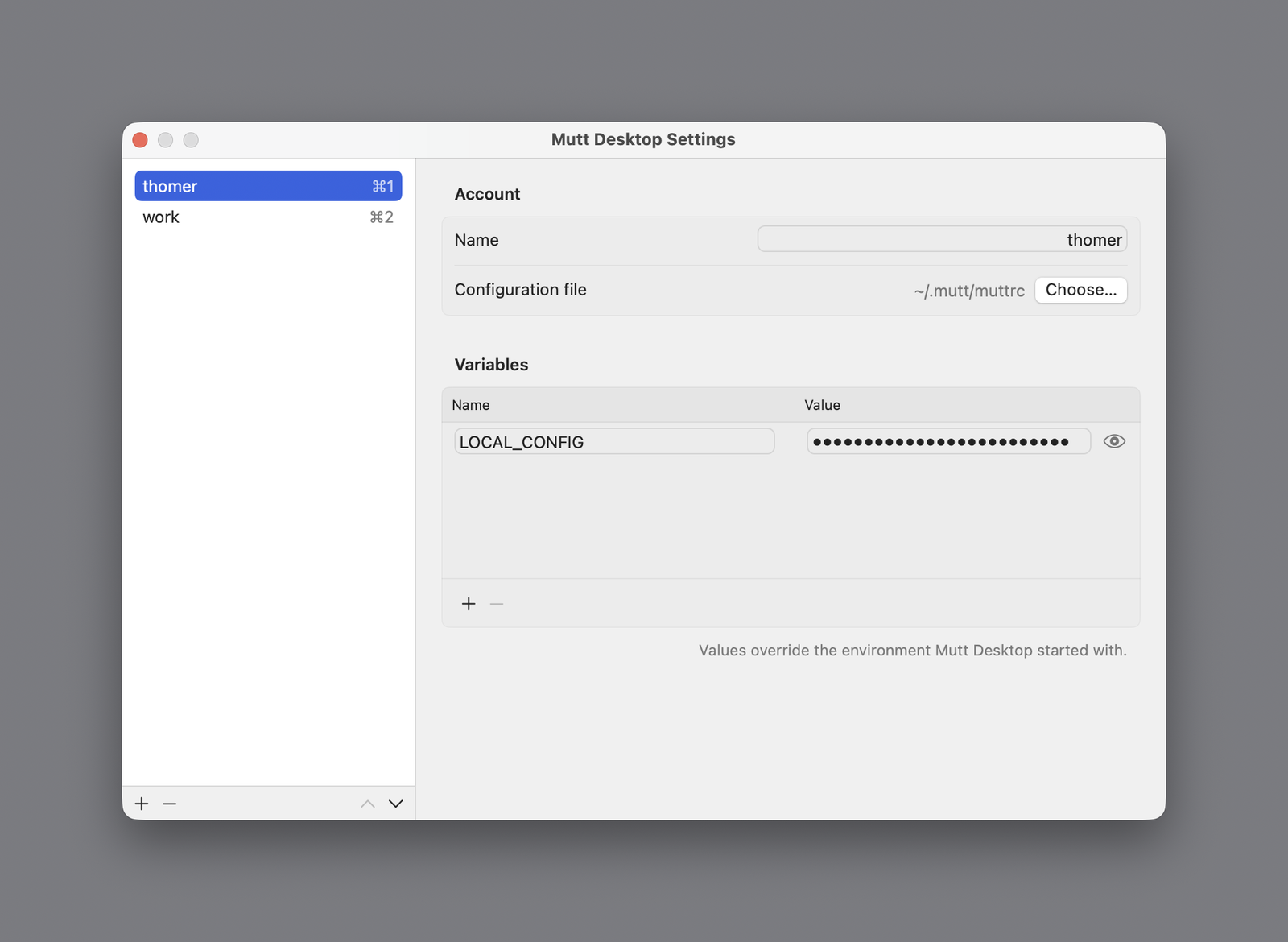
Switching accounts
- ⌘1–⌘9
- Switch to an account
- File menu
- Show all accounts
- ⌘,
- Edit accounts in Settings
One IMAP server and user per account
NeoMutt can use several IMAP logins in one session. Mutt Desktop uses one server and user per account. Add an account for each server and user, then switch with ⌘1–⌘9.
Mutt Desktop reads your muttrc without changing it. Put app-only bindings behind ifdef if you share the file with NeoMutt.
Mutt Desktop additions
| Multiple accounts | Save, order, and switch between accounts with separate or shared muttrc files. |
|---|---|
| Simultaneous preview | Keep the message list beside an HTML message in one Mac window. |
| Divider shortcuts | Press Ctrl-W, then Left or Right to resize the message divider. |
| Optional remote images | Remote images stay blocked by default; optional loading filters likely tracking pixels. |
| Embedded editor | Write in embedded Neovim or the built-in editor, then review the message before sending. |
| Inbox indicators | See new Inbox mail in the Dock or menu bar. |
Compatibility
Check which NeoMutt keys, options, and mail features Mutt Desktop supports.
| IMAP mailboxes | ✓ | |
|---|---|---|
| Local Maildir and mbox | ✓ | |
| SMTP sending | ✓ | |
| Password login | ✓ | |
| POP | ✓ | |
| NeoMutt options | Partly | Compatibility table |
| Mutt Desktop-only functions | Added | Added functions |
| Macros | Partly | Menu and prompt support |
| OAuth login | Partly | IMAP and POP; no SMTP OAuth |
| PGP and S/MIME | Won't support |
Try it for 14 days without a license; mail access then stops until you activate. One $9.99 license covers two Macs and includes new releases for one year from purchase. Your last eligible version keeps working. No subscription or Mutt Desktop account required.
Mutt Desktop is experimental. Back up your mail and check what it supports. If it doesn't work for you, we'll refund you. Your install will keep working.
Download Mutt Desktop for Apple silicon and Intel. The same app serves the trial and licensed version. Payment and license keys go through Polar.
Common questions
- Should I switch from (Neo)Mutt?
- Check the compatibility table before switching. Mutt Desktop adds a Mac window and HTML rendering, but does not support every NeoMutt feature.
- Is this made by the Mutt or NeoMutt project?
- No. NeoMutt is written in C. Mutt Desktop implements its own client in Swift without copying NeoMutt source code. It follows NeoMutt's behavior and configuration. Neither project makes or endorses Mutt Desktop.
- Do I need to change my muttrc?
- No. Mutt Desktop reads your muttrc without changing it. Help shows how to keep app-only settings in a shared file.
- Can one muttrc use several IMAP servers?
- Use one Mutt Desktop account per IMAP server and user. Accounts can share a muttrc; Help has an example.
- How do I select a message?
- Press Return to open the selected message, or enable
my_muttdesktop_autopreviewto see it beside the list. Press q to return to the list. - Can senders tell when I open their mail?
- Remote images can reveal that you opened a message. Mutt Desktop blocks them by default and offers optional filtered loading.
- Has this been vibe-coded?
- Yes. Claude Opus 5.5 and Codex GPT-6 Sol wrote the code with step-by-step developer supervision. Code comparisons check each feature against NeoMutt's source. Independent reviews check code, tests, and writing.
- Then how do I know there's no sneaky code that steals my passwords and private information?
- That is a fair question, and the honest answer is that you can't be sure with any closed source software. I deliberately used two different coding agents so each could check the other's work. That reduces the chance of malicious code slipping through. You can watch network traffic with LuLu or Little Snitch. Mutt Desktop connects to mail servers configured in your muttrc and, when remote images are loaded, to image hosts. License activation and deactivation contact Polar. The update checker contacts muttdesktop.com only when you select Check for Updates or opt in to automatic checks. Help and purchase links open your browser. It sends no mail content, mailbox details, or mail passwords in license or update requests. It has no analytics. There's no such thing as a separate Mutt Desktop account. Passwords in your muttrc are already on disk; prompted passwords stay in memory and are not saved by Mutt Desktop. Apple's notarization ties the app to me, Thomer Gil, and scans it for known malware, but it is not a code review.
- Can't I vibe-code this myself, then?
- You can. The tokens will cost more than paying for a Mutt Desktop license.
Support
For support, email support@muttdesktop.com. Bug reports and feature requests are tracked on GitHub.